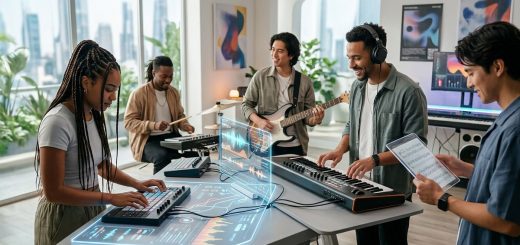
How to Turn Your Bedroom Studio into a 24/7 Livestream Venue in 2026
Your bedroom is already where the magic happens. You write, record, and maybe even crash a vocal take at 2 AM. But now you want to keep the stream running long after you step away. Turning a cramped bedroom into a 24/7 livestream venue is totally possible in 2026. It does not require a warehouse or a six figure budget. It requires smart choices about gear, layout, and automation. Let’s walk through exactly how to build a bedroom studio livestream setup that runs while you sleep, eat, or finally take a shower.
A 24/7 livestream setup from a bedroom studio is achievable with a dedicated camera, a dynamic microphone, basic sound treatment, and smart automation software. Focus on a stable internet connection, proper lighting, and a clean background. This guide covers gear, layout, and software so your stream stays professional around the clock.
Why Your Bedroom Studio Already Has Potential
Most creators start with a laptop, a USB mic, and a ring light. That is fine for a 30 minute chat. But running a stream for hours or days changes everything. You need gear that works without constant babysitting. You need a space that looks good even when you are not in frame. The good news is that the bedroom studio livestream setup you build today can also double as your recording space for music, podcasts, or video editing.
The key is separating the “live” area from the “living” area. Even in a small room, you can create a corner that reads as a intentional set. Think of it like a theater stage. Your bed might be behind the camera, but the audience never sees it. They see the wall, the lights, and your face.
The Core Gear You Need for 24/7 Broadcasting
Let’s break down the non negotiable pieces. This is not a shopping list of every gadget. It is the minimum viable setup for a stream that stays online without you.
Camera and Lens
A webcam is fine for testing. For 24/7 use, get a dedicated mirrorless camera or a PTZ camera. PTZ stands for pan, tilt, zoom. These cameras are built for long sessions. They do not overheat. You can control them remotely.
- Use a clean HDMI or USB-C output.
- Set the exposure manually so the image does not shift when a cloud passes.
- Frame your shot so there is headroom but not too much dead space above you.
Microphone
Your built in laptop mic picks up room echo, fridge hum, and that neighbor who loves mowing at 7 AM. Switch to a dynamic microphone. Dynamic mics reject background noise better than condensers.
- XLR dynamic mics need an audio interface.
- USB dynamic mics work for simpler setups.
- Place the mic six inches from your mouth. Use a boom arm to keep it off the desk.
Lighting
Ring lights are harsh for long streams. They create a flat, unflattering look. Instead, use two softbox lights at 45 degree angles. This is called three point lighting if you add a backlight.
- Key light: the main light, slightly to one side.
- Fill light: softer, on the other side.
- Backlight: separates you from the background.
For 24/7 operation, use LED panels that do not get hot. Your room will thank you in July.
Audio Interface and Mixer
An audio interface like a Focusrite Scarlett or a GoXLR lets you control mic gain, mute, and effects. For a 24/7 stream, you want a hardware mute button. Do not rely on software to mute you when you sneeze.
Computer and Encoding
Your computer handles the encoding. For 24/7 streaming, use a dedicated streaming PC if possible. If not, make sure your main computer has enough overhead. Use software like OBS Studio or Streamlabs. Set your bitrate to match your upload speed. For 1080p at 60 fps, aim for 6000 kbps.
Setting Up Your Space for Nonstop Streaming
Your bedroom studio livestream setup needs a layout that works for both live and offline hours. Here is a step by step process.
- Choose your corner. Pick the wall with the least clutter. Avoid windows if possible. Daylight changes your exposure every hour.
- Treat the acoustics. Hang moving blankets or buy foam panels. Focus on the wall behind your mic and the corners of the room. This kills echo.
- Mount your camera. Use a sturdy tripod or a wall mount. The camera should be at eye level. Looking down at the lens is unflattering.
- Run cables neatly. Use cable sleeves or raceways. Loose cables look messy and can trip you at 3 AM.
- Set your background. A bookshelf with curated items works. A plain painted wall with a single poster works too. Avoid blank white walls. They reflect light and look sterile.
Automation and Software for 24/7 Operation
You cannot sit in front of the camera for 24 hours. That is where automation comes in.
- Scene switching: Use OBS scenes to switch between your live camera, a “be right back” screen, and a looping video or music visualizer.
- Scheduling: Use tools like StreamElements or Botrix to schedule automated segments. You can have a live DJ set, then a pre recorded interview, then a chillwave playlist.
- Moderation bots: Bots can greet new viewers, post links, and filter chat. They do the work of a dozen mods while you sleep.
- Remote control: Use a tablet or phone app to control OBS, your lights, and your PTZ camera from anywhere in the house.
“The best 24/7 streams feel alive even when the creator is away. That is all about smart transitions and a consistent vibe.” Marcus Chen, live stream engineer and co founder of StreamVault
Common Mistakes and How to Avoid Them
Even experienced creators mess up these details. Here is a table of what to avoid and what to do instead.
| Mistake | Why It Hurts | Better Approach |
|---|---|---|
| Using auto white balance | Colors shift during the stream | Lock white balance to a custom preset |
| Pointing the mic at the keyboard | Key clicks overpower your voice | Use a dynamic mic off axis from the keyboard |
| Streaming over Wi-Fi | Drops and interference | Use a wired Ethernet connection |
| Leaving the room untreated | Echo and hollow sound | Add soft surfaces like rugs or blankets |
| Forgetting to test audio levels | Viewers hear clipping or silence | Set gain so your loudest peak hits -6 dB |
What to Do When You Are Not on Camera
A 24/7 venue needs content even when you are away. Here are three reliable options.
- Lo Fi music visualizers. Pair a looping animation with a royalty free playlist. This works great for study or sleep streams.
- Pre recorded sets. Record a live performance or DJ mix. Loop it with a “recorded earlier” overlay so viewers know it is not live.
- Guest takeovers. Give a friend or collaborator access to your stream for a few hours. This keeps the channel active and introduces your community to new voices.
For more ideas on keeping your content fresh, check out our piece on how emerging musicians are redefining genre boundaries in the digital age.
Matching Your Setup to Your Content Style
Your bedroom studio livestream setup should match the kind of content you make. A musician needs different gear than a talk show host.
For musicians:
– Focus on low latency audio monitoring.
– Use a camera that can handle dim stage lighting.
– Add a second mic for room ambience if you play acoustic instruments.
For talk shows or podcasts:
– Prioritize clear voice audio.
– Use a wide angle lens to capture multiple guests.
– Add a simple lower third graphic with names.
For gaming:
– Use a separate mic for your voice and a mixer for game audio.
– Keep your webcam overlay small so the game is the focus.
– Use a green screen to replace your background with game art.
The Future of Bedroom Streaming in 2026
The line between a home studio and a professional broadcast facility is disappearing. Tools that used to cost thousands are now available as software plugins or affordable hardware. AI powered tools can adjust your lighting in real time, generate captions, and even suggest when to switch scenes.
If you want to see how other independent creators are building their spaces, read our article on why 2026’s most exciting music is being made in bedroom studios. It is full of inspiration from people who started exactly where you are.
Your Next Steps
You do not need to buy everything at once. Start with one upgrade. If your audio is muddy, buy a better mic and an interface. If your video looks flat, add a second light. Test your stream for 24 hours while you are home. Watch the recording the next day. Note where the stream dips in quality.
A bedroom studio livestream setup is not about perfection. It is about consistency. The audience returns because the stream is always there, always sounding good, and always feeling like a real venue. That is the goal. That is what turns a bedroom into a 24/7 destination.
Now go set up that corner. Your stream is waiting.